




.png)



How to Automate Vacation Rental Early Check-In and Capture Upsell Revenue
Learn how to automate vacation rental early check-in by integrating cleaning status, guest messaging, and smart locks—capturing upsell revenue without manual coordination while converting the 11 AM-4 PM operational gap into profit.
The short answer: Automate vacation rental early check-in by integrating your cleaning data with your guest messaging and smart locks. When a cleaner marks a property "Ready," the system instantly texts the guest an upsell offer. Upon payment, the smart lock code activates immediately without human intervention.
The Operational Bottleneck: Why Ops Managers Lose Revenue
Between 11:00 AM and 4:00 PM, your portfolio sits in a state of operational limbo. A unit might be cleaned and inspected by 12:30 PM, but the guest is contractually locked out until 4:00 PM. This three-and-a-half-hour gap represents pure wasted inventory.
For operations managers overseeing 50+ units, manual early check-ins without short-term rental upsell software are often more trouble than they are worth. The "Status Chase" involves support agents pinging cleaners for updates, negotiating prices with guests via text, sending Venmo links, and manually logging into smart lock dashboards to override codes. This administrative friction usually results in managers simply giving early access away for free or denying it entirely to avoid the headache.
This is a strategic error. Industry projections for 2026 indicate that ancillary revenue streams, led by automated upsells, will account for nearly 20% of net profit margins for tech-enabled property management companies. Furthermore, data suggests that 88% of guests now prefer self-service digital transactions over negotiating approvals with a host.
The SOP: Zero-Touch Early Check-In Workflow
To capture this revenue without adding labor, you must bridge the gap between housekeeping status and guest access credentials. Here is the exact workflow to implement using the SuiteOp ecosystem.
1. Automated Detection of "Unit Ready" Status
The process begins on the ground. Your housekeeping team uses Operations to manage their daily turnover. As soon as the cleaner finishes their checklist and marks the job as "Complete" in the mobile app, the unit status updates in real-time across the entire dashboard. This acts as the digital trigger.
2. The Instant Upsell Offer
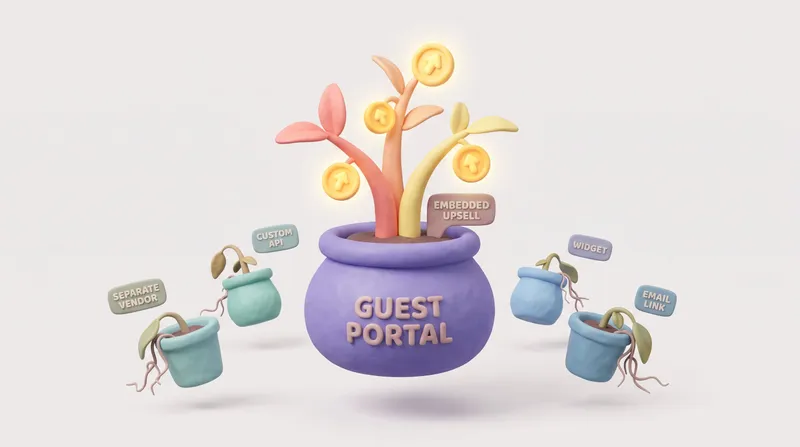
Once the unit status flips to "Ready" (and provided the time is before the standard check-in window), the system triggers an automated message to the incoming guest. This is not a generic text. It is a targeted offer sent via Portals.
The message alerts the guest that their specific unit is ready early and offers immediate access for a calculated fee. Because the guest is likely traveling and eager to drop off bags, conversion rates on these time-sensitive, relevant offers are significantly higher than pre-arrival blasts.
3. Payment and Code Activation
The guest accepts the offer and pays directly through the portal on their phone. This is where most manual workflows break down, but integration solves the security risk. Immediately upon payment confirmation, Smart Devices communicates with the on-site hardware.
The smart lock's valid start time is automatically adjusted from 4:00 PM to the current time. The guest's existing code works immediately. No support tickets are created, and no operations manager is notified until the revenue hits the ledger.
Comparison: Manual Coordination vs. Automated Workflow
Implementing this logic removes the friction that prevents scalability. Review the difference in operational load:
- Cleaning Verification: Ops team texts cleaner for update (Manual) → Operations auto-updates status (Automated)
- Guest Communication: Agent negotiates time/price via SMS (Manual) → Portals sends instant offer (Automated)
- Payment Collection: Manual invoice or Venmo request (Manual) → Instant credit card charge (Automated)
- Access Control: Manager manually edits lock schedule (Manual) → Smart Devices auto-syncs new start time (Automated)
Ready to Automate Your Operations?See how SuiteOp handles cleaning coordination and upsell automation automatically. Book a demo to see it in action.
Frequently asked questions
Why do vacation rental managers lose early check-in revenue?
Units are often cleaned and ready hours before the standard check-in time, but manual early check-in means chasing cleaners for status, negotiating prices by text, collecting payment by invoice and editing lock schedules by hand. That friction leads many managers to give early access away for free or refuse it, leaving ready inventory unsold.
What triggers an automated early check-in offer?
The housekeeping status. When a cleaner finishes the checklist and marks the job complete in Operations, the unit updates to ready in real time, and if it is before the standard check-in window, that change triggers an early check-in offer to the incoming guest.
How does the guest pay for early check-in?
The guest receives a targeted offer through Portals and pays directly in the portal on their phone. There is no manual invoice or payment link for the team to chase.
How does the smart lock code update after payment?
Immediately after payment is confirmed, SuiteOp adjusts the smart lock's valid start time from the standard check-in time to the current time. The guest's existing code works right away, and no support ticket or manager action is needed.