







.png)




How to Automate Vacation Rental Maintenance Workflows for Smart Devices
This guide explains how to automate vacation rental maintenance by syncing smart lock, sensor, and thermostat telemetry with task management software, turning battery and connectivity alerts into turnover-ready work orders instead of emergency dispatches. It includes 2026 industry data on maintenance costs, guest complaint rates, and smart lock battery life to show the ROI of preventive over reactive upkeep.
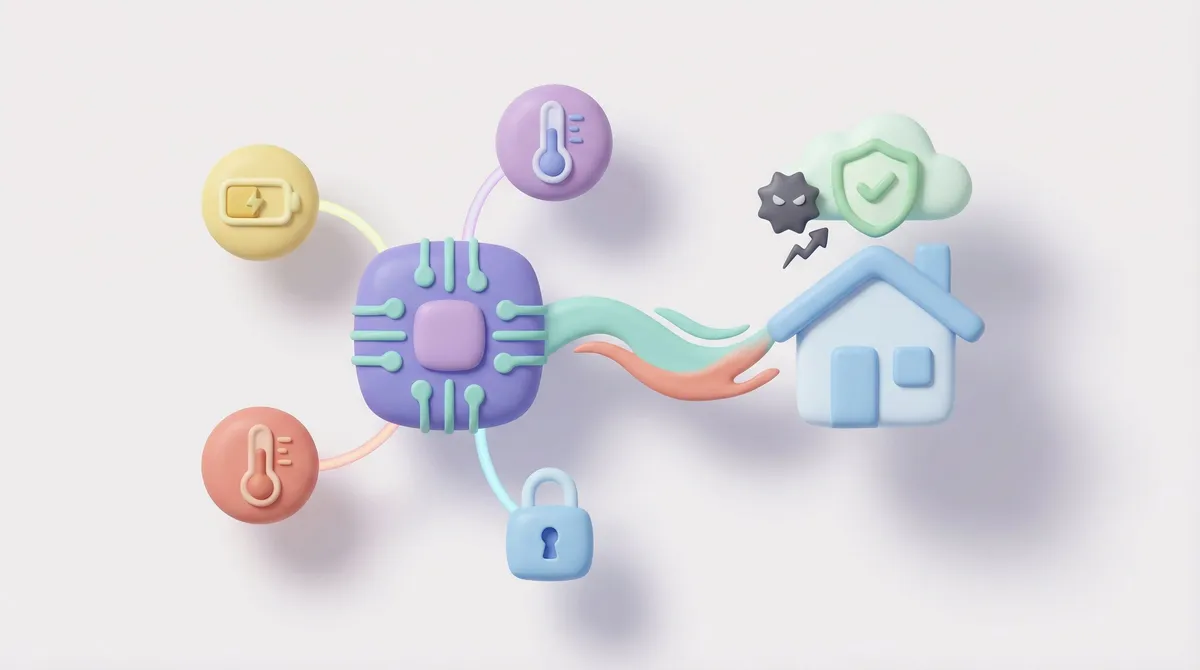
The short answer: Automating vacation rental maintenance means connecting your smart devices, locks, sensors, thermostats, to a task management system so battery drops, offline status, and tamper alerts create work orders automatically. Instead of a manager checking five different apps, the software pushes a maintenance ticket straight to the next scheduled turnover, closing the gap between hardware failure and human action.
Why Does Reactive Maintenance Still Cost So Much?
Waiting for a guest to report a dead smart lock or an offline thermostat is a costly habit. By the time a ticket lands in your inbox, the guest experience has already suffered and the fix now requires emergency dispatch instead of a routine turnover task.
The numbers back this up. Across a large sample of vacation rental work orders, roughly one third of repair spend is tied to emergency, unplanned maintenance rather than planned upkeep, and annual repair costs typically run 5% to 8% of gross rent. On the guest side, maintenance problems, broken appliances, plumbing, HVAC, are cited by roughly 31% of travelers who report a disappointing stay. A separate 2026 operations benchmark found that around 1 in 8 turnovers experience a measurable failure, a late clean, a missed repair, or a guest-reported issue in the first 24 hours, and that the gap between average operators and best-in-class operators on this metric is roughly 12.5% versus 2-3%.
Smart lock battery life makes the case even clearer. Depending on connectivity type, batteries in active short-term rental use last anywhere from a few weeks to over a year: Wi-Fi locks are commonly reported to run down in 3 to 6 months, while Z-Wave and Zigbee locks tend to last 11 to 19 months. Most locks issue a low-battery warning with only two to three weeks of power left, which is exactly the window an automated workflow needs to catch before it becomes a lockout.
The Problem with Native App Monitoring
Manual App Fatigue is real. Logging into separate dashboards for different lock, thermostat, and sensor brands is not a workflow that scales past a handful of units. It creates:
- Data silos: The maintenance team doesn't see what the admin team sees, and vice versa.
- Missed alerts: Push notifications get buried under guest messages and booking confirmations.
- Emergency dashes: The late-night drive to swap batteries because a lock died mid-stay instead of during a scheduled clean.
How Do You Turn Device Telemetry Into Maintenance Tasks?
The fix is decoupling monitoring from human memory. SuiteOp aggregates telemetry, battery voltage, connectivity status, tamper alerts, from every connected device into one data stream. That stream becomes the trigger for your maintenance logic instead of a person having to notice a problem.
Here is the standard operating procedure for automating the workflow:
- Centralize device data. Connect all IoT hardware, locks, sensors, thermostats, leak detectors, to SuiteOp so nobody has to open a manufacturer app to check status.
- Set thresholds. Define a rule such as "if battery level drops below 20%, trigger an alert." A 20% threshold typically buys two to three weeks of runway, enough to catch the device before the next turnover without cutting it close.
- Auto-generate the ticket. Map the alert to SuiteOp, which creates a Hardware Maintenance task the moment the threshold is breached, no manual entry required.
- Attach it to the next turnover. Configure the task to sit on the next scheduled Turnover Clean so the cleaner or inspector sees the battery replacement instruction the moment they clock in, without a separate dispatch trip.
For a deeper look at pairing this logic with your cleaning schedule, see our cleaning automation software comparison, and if you're still choosing lock hardware, our breakdown of the best smart lock for remote hosting covers which connectivity types hold up best under STR turnover volume.
How Do You Monitor Connectivity, Not Just Battery Level?
Battery level is only half the equation. A lock at full charge is useless if it drops off the network. Apply the same automation logic to offline status: if a device stays offline for more than 60 minutes, SuiteOp should trigger a Connectivity Check task so an operations runner can reboot the hub or investigate a local outage before a guest ever notices. If you're managing devices from multiple manufacturers across a growing portfolio, our guide to managing multi-brand IoT devices walks through how to standardize alert thresholds across brands that don't share a native app.
What Devices Should Be in a Preventive Maintenance Workflow?
Most operators start with locks because lockouts are the most visible failure, but the same logic extends to the rest of the smart devices stack:
- Smart locks: Battery percentage, offline status, tamper/forced-entry alerts
- Noise and air-quality sensors: Connectivity drops, firmware errors
- Thermostats: Sensor offline status, unusual runtime patterns that suggest a failing unit
- Leak and water sensors: Low battery, connectivity loss (the device that's most costly to have fail silently)
- Wi-Fi routers/hubs: Uptime monitoring, since a dead router takes every other device offline with it
For router-specific troubleshooting logic, see our guide on automating Wi-Fi troubleshooting and remote reboots.
What Is the Real ROI of Automated Maintenance Workflows?
Preventive, telemetry-driven maintenance is increasingly treated as a revenue-protection tool rather than a pure cost center. Since roughly a third of vacation rental repair spend is tied to unplanned, emergency work, shifting even a portion of that into planned turnover tasks has a direct effect on labor cost and guest satisfaction. Hospitality operators using IoT-based predictive maintenance across larger portfolios have reported meaningfully fewer unplanned equipment failures and lower emergency repair spend, according to 2026 IoT device management benchmarks, though results vary by property size and how much of the stack is actually connected versus manually checked.
Manual vs. Automated Device Management
- Identification: Discovery via guest complaint (Manual) vs. discovery via device telemetry (Automated)
- Response time: Hours after failure, once reported (Manual) vs. resolved pre-emptively at the next turnover (Automated)
- Staffing cost: Emergency dispatch or overtime rate (Manual) vs. standard cleaning labor rate (Automated)
- Guest impact: High friction, possible lockout (Manual) vs. silent fix, zero guest visibility (Automated)
How Do Professional Operators Scale This Across a Portfolio?
At 10 units, a spreadsheet and a shared calendar might hold together. Past that, the math changes fast, especially once you're running mixed hardware brands across dozens or hundreds of doors. Operators managing larger portfolios standardize on three things:
- One data layer for every device brand. Locks, thermostats, and sensors from different manufacturers all report into the same platform instead of five separate native apps.
- Threshold rules set once, applied everywhere. A 20% battery threshold or a 60-minute offline window shouldn't need to be reconfigured property by property.
- Tasks that attach to existing labor, not new dispatches. Maintenance tickets ride along with a scheduled clean or inspection whenever possible, rather than generating a standalone trip.
This is the same operational logic covered in our cost-per-turn optimization guide, which treats every maintenance dispatch as a line item worth eliminating before it happens rather than resolving after the fact.
By connecting device telemetry directly to task creation, you automate vacation rental maintenance workflows end to end and remove the manual app-checking step that causes most preventable lockouts and equipment failures.