









.png)



Smart locks & devices
ecobee + SuiteOp: Guest Comfort Within Your Limits
ecobee smart thermostats give guests easy control of the temperature. SuiteOp lets your team set temperature and mode from anywhere, keeps guest changes inside the minimum and maximum you choose and switches to an energy-saving setting at check-out, so guests stay comfortable and you save energy between stays.

ecobee · Connected · Live
WHAT SUITEOP DOES
Why SuiteOp + ecobee
Tap a feature to see each one.
FEATURE 1 OF 3
Every Thermostat, From Anywhere
Set temperature and mode (off, heat, cool or auto) on any connected ecobee from SuiteOp. Your team can adjust any unit without a trip to the property.
FEATURE 2 OF 3
Limits That Hold Every Stay
Set a minimum and maximum for each thermostat, and guests adjust freely inside that range. If a guest pushes the heat to 80°F, SuiteOp brings it back to your 76°F max, so heating and cooling stay under control.
FEATURE 3 OF 3
Energy Savings Between Stays
Workflows change settings around every check-in and check-out, for example setting the Living Room thermostat to 62°F heat at check-out. Empty units sit at an efficient setting until the next guest arrives.
- Remote temperature and mode
- Guest min and max limits
- Check-in and check-out rules
- Offline and back-online alerts
WHAT IT LOOKS LIKE
SuiteOp and ecobee in practice
At check-out, set Living Room thermostat to 62°F heat.
You can connect ecobee yourself in the SuiteOp app. Sign in to your ecobee account in the secure connect window, and your thermostats are ready to manage.
Integrated ecobee devices
3 devices
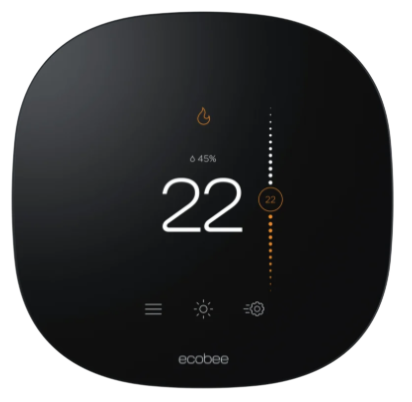 Ecobee Smart ThermostatLive
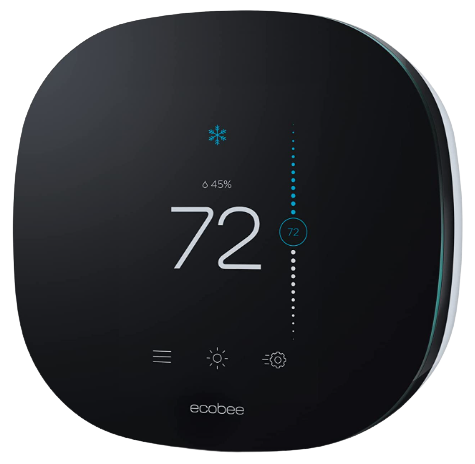 Ecobee3 Lite ThermostatLive
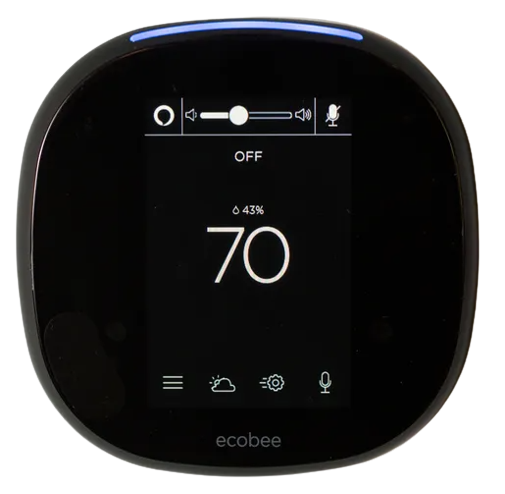 Ecobee4 Smart ThermostatLive
FAQ
Questions about SuiteOp + ecobee
Can't find the answer? A specialist will walk you through it on a call.
Talk to salesDoes SuiteOp integrate with ecobee?
Yes. SuiteOp connects to residential ecobee thermostats, so your team can set temperature and mode, enforce limits and automate changes around each stay.
Can guests still change the temperature?
Yes, within the minimum and maximum you set. SuiteOp resets anything outside them.
Which ecobee option should I choose in SuiteOp?
Choose ecobee for residential ecobee accounts. If your thermostats are managed in an ecobee SmartBuildings (multifamily) account, choose ecobee SmartBuildings.
Will I know if a thermostat goes offline?
Yes. SuiteOp sends one alert per outage and a "back online" alert once the thermostat reconnects.
How do I connect ecobee to SuiteOp?
You can set it up yourself in a few clicks. Sign in to your ecobee account in the secure connect window inside the SuiteOp app.
Related integrations
All integrations LiveGuestyGuesty and SuiteOp stay in sync both ways, from door codes and portal links to live messages, reviews and GuestyPay.View integration
 LiveHostawayLive Hostaway messages and reviews in SuiteOp, with door codes, dates, guest details and portal links written back.View integration
 LiveHospitableEvery Hospitable conversation in one SuiteOp inbox, with replies and door codes sent back through Hospitable.View integration
 LiveOwnerRezDoor codes, portal links and stay times flow from SuiteOp back to each OwnerRez booking, ready for your templates.View integration

Live in weeks, not months
The future of hospitality operations starts with SuiteOp.
See how operators verify every guest, automate every turnover and grow revenue per stay, all from one platform. We'll tailor the walkthrough to your portfolio.
- Built for 10 to 10,000 units
- Tailored to your portfolio
- Free migration from your current tool